
SYNC
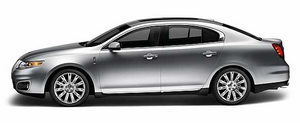
Your vehicle is equipped with SYNC , a hands-free communications and entertainment system with special phone and media features. For more information, please refer to the SYNC supplement or to the SYNC section in the Navigation System supplement (if equipped).
See also:
Roadside assistance
Vehicles sold in the U.S. : Getting roadside assistance
To fully assist you should you have a vehicle concern, Ford Motor
Company offers a complimentary roadside assistance program. This
program ...
Important child restraint precautions
WARNING: Always make sure your child is secured properly in
a device that is appropriate for their height, age and weight.
Child safety restraints must be purchased separately from the vehicle.
Fa ...
Trailer towing
WARNING: Never tow a trailer with this vehicle. Your vehicle is
not equipped to tow. No towing packages are available through
an authorized dealer. ...