
Trunk release
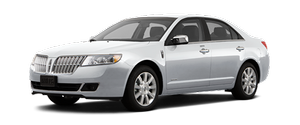
To open the trunk from inside the vehicle:
Press the trunk release button located in the glove box.

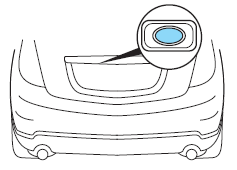
To open the trunk with the outside release button:
1. Unlock the trunk with the
transmitter or power door lock
control. If the intelligent access
transmitter is within 3 feet
(1 meter) of the trunk, the trunk
will unlock when you press the
release button.
2. Press the release button located
near the license plate.
See also:
Safety belt system
WARNING: Always drive and ride with your seatback upright
and the lap belt snug and low across the hips.
WARNING: To reduce the risk of injury, make sure children sit
where they can be properly r ...
Setting speed control
To set speed control:
1. Press and release ON.
2. Accelerate to the desired speed.
3. Press and release SET + or SET -.
4. Take your foot off the accelerator pedal.
5. The indicator light ...
Setting the gap distance
The distance between your vehicle
and the vehicle in front of you can
be decreased or increased by
pressing the GAP control up or
down. The selected gap will be
displayed in the message cent ...