
Operating the HomeLink Wireless Control System

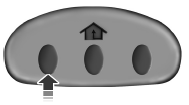
To operate, simply press and release the appropriate HomeLink button.
Activation will now occur for the trained product (garage door, gate operator, security system, entry door lock, or home or office lighting etc.). For convenience, the hand-held transmitter of the device may also be used at any time. In the event that there are still programming difficulties, contact HomeLink at www.homelink.com or 1–800–355–3515.
See also:
Cabin air filter
Your vehicle is equipped with a cabin air filter, located behind the glove
box. The particulate air filtration system is designed to reduce the
concentration of airborne particles such as dust, sp ...
Safety
The MKX has the standard slate of six airbags, stability control and, as part
of some option packages, blindspot monitoring.
The 2011 MKX earned the top score, Good, in frontal, side and rear cras ...
Attaching tether straps
Many forward-facing child safety seats include a tether strap which
extends from the back of the child safety seat and hooks to an anchoring
point called the top tether anchor. Tether straps are ...