
Settings/Vehicle Settings

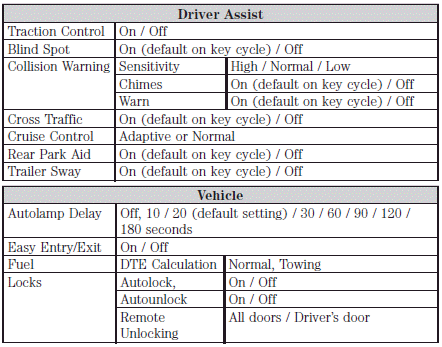
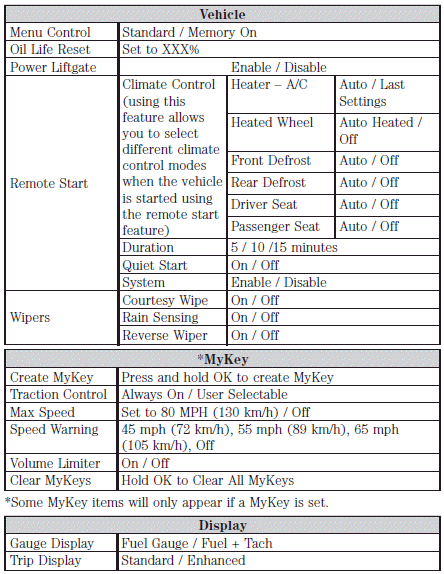
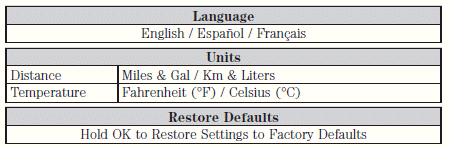
In this mode, you can configure different driver setting choices. Press the right arrow key (when in the Settings menu) to reach the listed modes below:
Note: Some items are optional and may not appear.
See also:
Getting assistance outside the U.S. and Canada
Before exporting your vehicle to a foreign country, contact the
appropriate foreign embassy or consulate. These officials can inform you
of local vehicle registration regulations and where to find ...
Sample MP3 structure
If you are burning your own MP3
discs, it is important to understand
how the system will read the
structures you create. While various
files may be present, (files with
extensions other than ...
Deactivating/activating the Belt-Minder feature
The driver and front passenger Belt-Minder are
deactivated/activated independently. When deactivating/activating
one seating position, do not buckle the other position as this will
terminate the ...