
Automatic steering into parking space
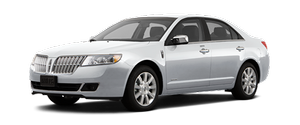
Automatic steering is activated when you stop the vehicle, remove your hands from the steering wheel and select the R (Reverse) gear. Be sure the steering wheel motion is not obstructed by any objects. The vehicle will steer itself from this point on as you follow the instructions in the message center to safely move the vehicle reverse and forward in the space. You may cancel APA at any time by grabbing the steering wheel or by pressing the APA control switch. When the vehicle is in R (Reverse), the message center displays BACK UP USE CAUTION.
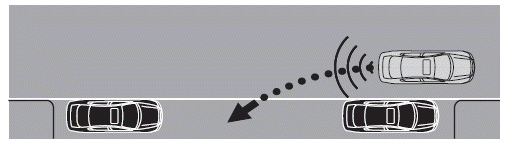
When you determine the vehicle is back far enough or you hear a solid tone from the reverse sensing system, bring the vehicle to a complete stop and move the gearshift to D (Drive). The message center will now display PULL FORWARD USE CAUTION followed by a chime.
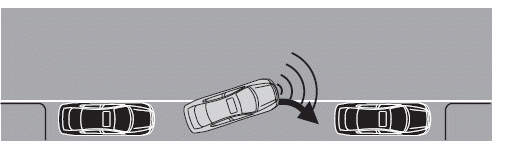
When you determine the vehicle is far enough forward or a solid tone from the forward sensing system (if equipped) is heard, bring the vehicle to a complete stop and move the gearshift to R (Reverse). The message center may display BACK UP SLOWLY USE CAUTION followed by a chime. The system may offer subsequent backward and forward maneuvers before proceeding to the finish phase.
See also:
Checking automatic transmission fluid
Refer to your scheduled maintenance information for scheduled
intervals for fluid checks and changes. Your transmission does not
consume fluid. However, the fluid level should be checked if the
...
Changing Tires with a TPMS
Note: Each road tire is equipped
with a tire pressure sensor located
inside the tire and wheel assembly
cavity. The pressure sensor is
attached to the valve stem. The
pressure sensor is co ...
Replacing front parking lamp/turn signal bulb
For driver side replacement of the front parking lamp/turn signal
bulb, do the following:
WARNING: To reduce the risk of vehicle damage and/or
personal burn injuries do not start your engine ...