
Operating the HomeLink Wireless Control System

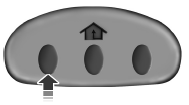
To operate, simply press and release the appropriate HomeLink button.
Activation will now occur for the trained product (garage door, gate operator, security system, entry door lock, or home or office lighting etc.). For convenience, the hand-held transmitter of the device may also be used at any time. In the event that there are still programming difficulties, contact HomeLink at www.homelink.com or 1–800–355–3515.
See also:
Panel dimmer control
Use to adjust the brightness of the
instrument panel and all applicable
lit components in the vehicle during
headlamp and parking lamp
operation.
• Tap the top or bottom of the
control to ...
Service Data Recording
Service data recorders in your vehicle are capable of collecting and
storing diagnostic information about your vehicle. This potentially
includes information about the performance or status of var ...
BLIS False Alerts
Due to the nature of radar technology, there may be certain instances
when the BLIS will alert with no object present in the blind zone. This
is known as a false alert. Some level of false alerts ...