
Panel dimmer control

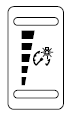
Panel dimmer control
Use to adjust the brightness of the instrument panel and all applicable lit components in the vehicle during headlamp and parking lamp operation.
• Tap the top or bottom of the control to brighten/dim all interior lit components incrementally, or • Press and hold the top or bottom of the control until the desired lighting level is reached.
• Press and hold the top of the control to the full on position to activate the “dome on” feature. This will turn on the interior courtesy lights.
The lights will remain on until the bottom of the control is pressed.
See also:
SYNC
Your vehicle is equipped with SYNC , a hands-free communications and
entertainment system with special phone and media features. For more
information, please refer to the SYNC supplement or to the ...
Tire change procedure
WARNING: To help prevent the vehicle from moving when you
change a tire, be sure the parking brake is set, then block (in
both directions) the wheel that is diagonally opposite (other side and
e ...
Power door locks
• Press the control to unlock
all
doors.
• Press the control to lock all
doors.
...