
Power windows
WARNING: Do not leave children unattended in the vehicle and do not let children play with the power windows. They may seriously injure themselves.
WARNING: When closing the power windows, you should verify they are free of obstructions and ensure that children and/or pets are not in the proximity of the window openings.
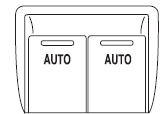
Press and pull the window switches to open and close windows.
• Press down (to the first detent) and hold the switch to open.
• Pull up (to the first detent) and hold the switch to close.
Rear Window Buffeting: When one or both of the rear windows are open, the vehicle may demonstrate a wind throb or buffeting noise. This noise can be alleviated by lowering a front window approximately 2–3 inches (5–8 cm).
See also:
Connecting the jumper cables
Note: In the illustration, the vehicle on the bottom is used to designate
the assisting (boosting) battery.
1. Connect the positive (+) jumper
cable to the positive (+) terminal of
the discha ...
Split-folding rear seatbacks
One or both rear seatbacks can be folded down to provide additional
cargo space.
To lower the seatback(s), pull the
release handle(s) located inside the
trunk.
Fold the seatback(s) down.
...
3.5-liter ecoboost V6
Nine out of 10 MKT retail customers opt for twin-turbo 3.5-liter EcoBoost V6,
an engine that provides V8 performance with the fuel economy of a V6. In terms
of horsepower from optional engines, the ...