
Settings/Vehicle Settings

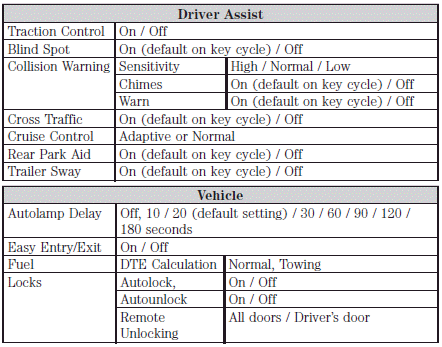
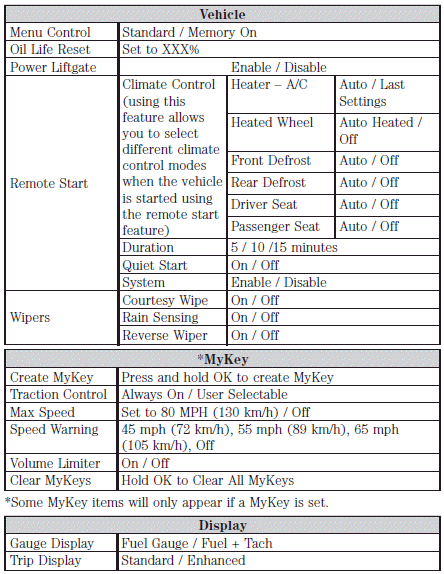
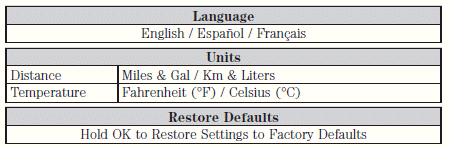
In this mode, you can configure different driver setting choices. Press the right arrow key (when in the Settings menu) to reach the listed modes below:
Note: Some items are optional and may not appear.
See also:
Using the right bulbs
Replacement bulbs are specified in the chart below. Headlamp bulbs must
be marked with an authorized “D.O.T.” for North America and an “E” for
Europe to ensure lamp performance, light brightness a ...
All-new interior brimming with functionality and craftsmanship
The interior of the 2011 Lincoln MKX reflects an even greater emphasis on
what defines Lincoln DNA: luxury, craftsmanship, genuine materials and sharper
execution.
Gentle details that bring out ...
Treadwear
The treadwear grade is a comparative rating based on the wear rate of
the tire when tested under controlled conditions on a specified
government test course. For example, a tire graded 150 would w ...